- Role: Design Lead
- Skills demonstrated:
Getting data into Wiser, whether during onboarding or day-to-day operations, meant CSV handoffs, long email threads, and GTM intervention that dragged on for days, if not weeks.
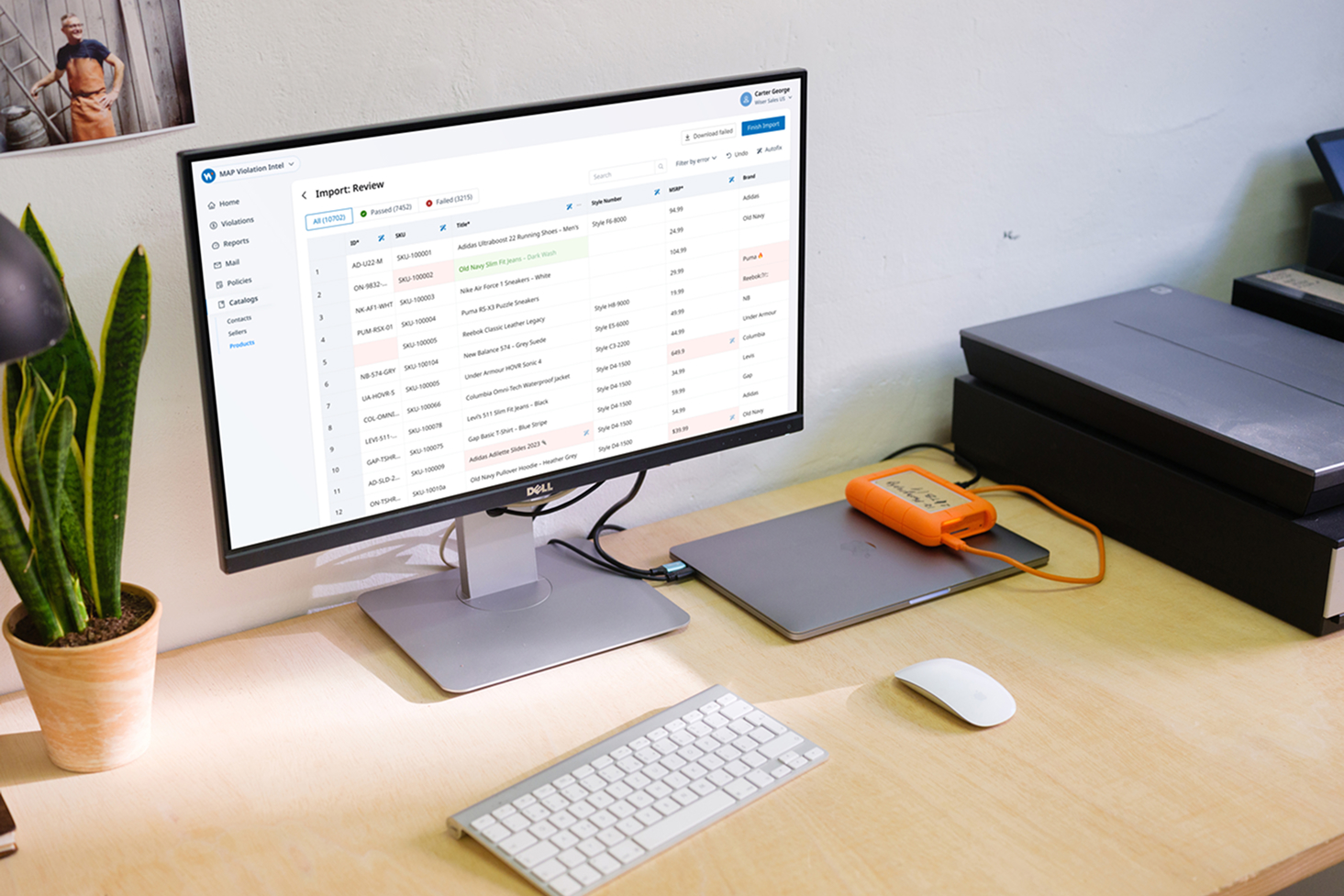
The AI-powered Data Importer flipped that model. Built as a reusable micro-frontend, embeddable across any Wiser product, it gave customers the power to upload, validate, and map structured data in minutes — starting first, with Wiser MAP
Challenge
Getting customer data into Wiser wasn't just clunky — it was a drag on every team involved. Each application had its own inconsistent approach to ingestion: some required perfectly formatted CSVs, others had no self-serve option at all and required Engagement Managers to help.
Results
Faster time to value
We significantly reduced the time it takes to import data (new or existing customers) from an average of 2 days to < 5 minutes.
Consistent & Predictable import solution
Having the import tool built as a reusable micro-frontend means every Wiser product can bring this singular experience to their application.
A more connected interface
Based on customer feedback, I helped create a new, more visual workflow designer with a deep attention on information architecture.
Problem Discovery
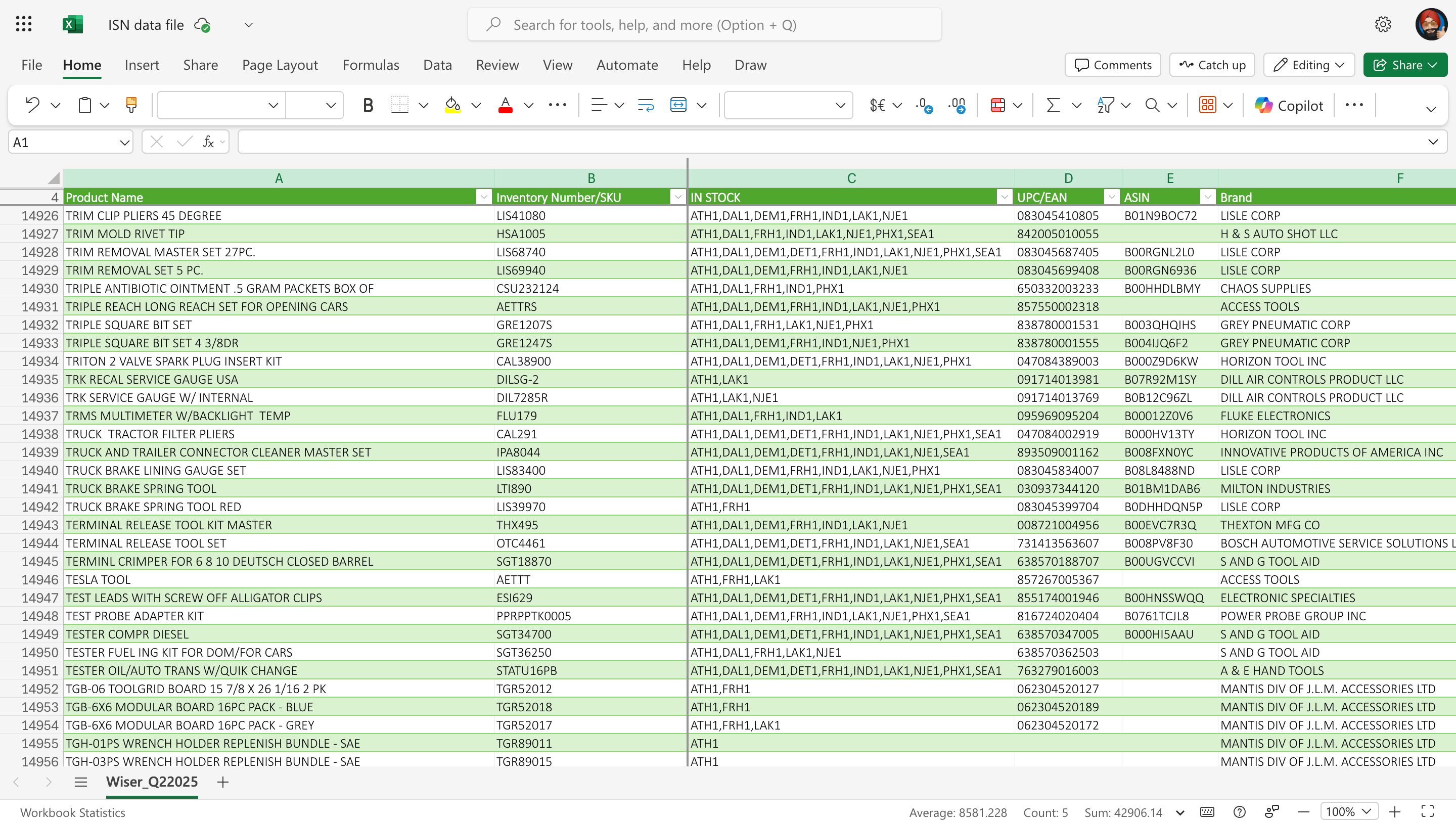
- To understand the severity of the problem, we spoke with GTM and Ops, who lived this pain daily. We learnt that imports that should have taken minutes, routinely cost 2 or more days and multiple back-and-forth emails with customers.
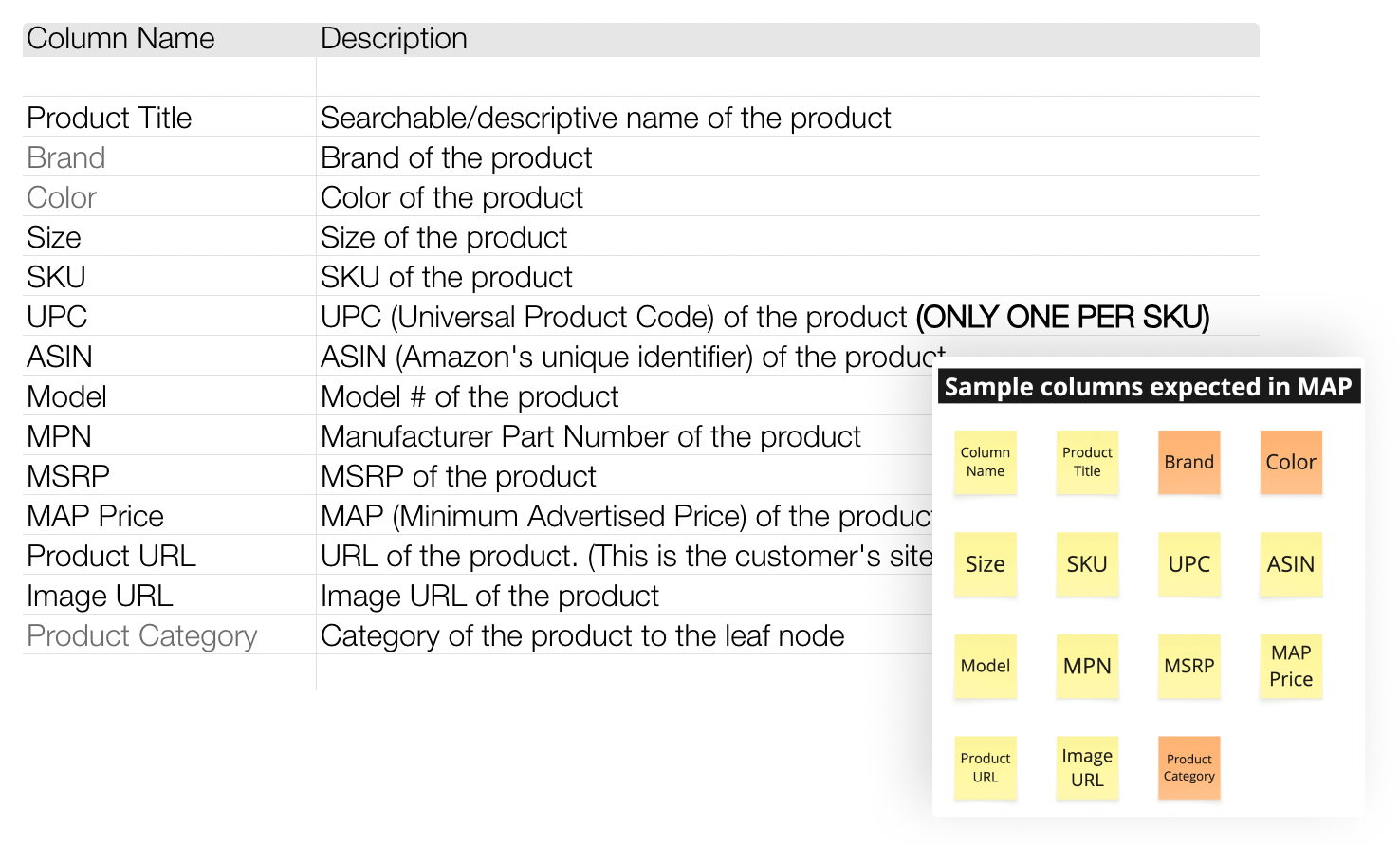
- We also worked with the MAP team, the first to integrate the importer, to capture their technical and business requirements: thinking through core data-templates, identifying mandatory columns and defining appropriate validation rules.
- Finally, we looked at some well-known services in the data-ingestion space — the OneSchemas' and Flatfiles' of the world — before jumping into solutioning.
Reframing the problem
We locked-in on 3 key problems:
- Inconsistent ingestion methods across apps, leading to long and arduous process of adding/updating data where customers would often wait for days.
- High operational cost and resource intensive process that is adds additional burden for GTM.
- Competitors offer self-serve onboarding and data-imports making Wiser a less attractiva option for new customers.
Solution
The AI-powered importer was designed around a simple but flexible flow that gave customers control without overwhelming them.
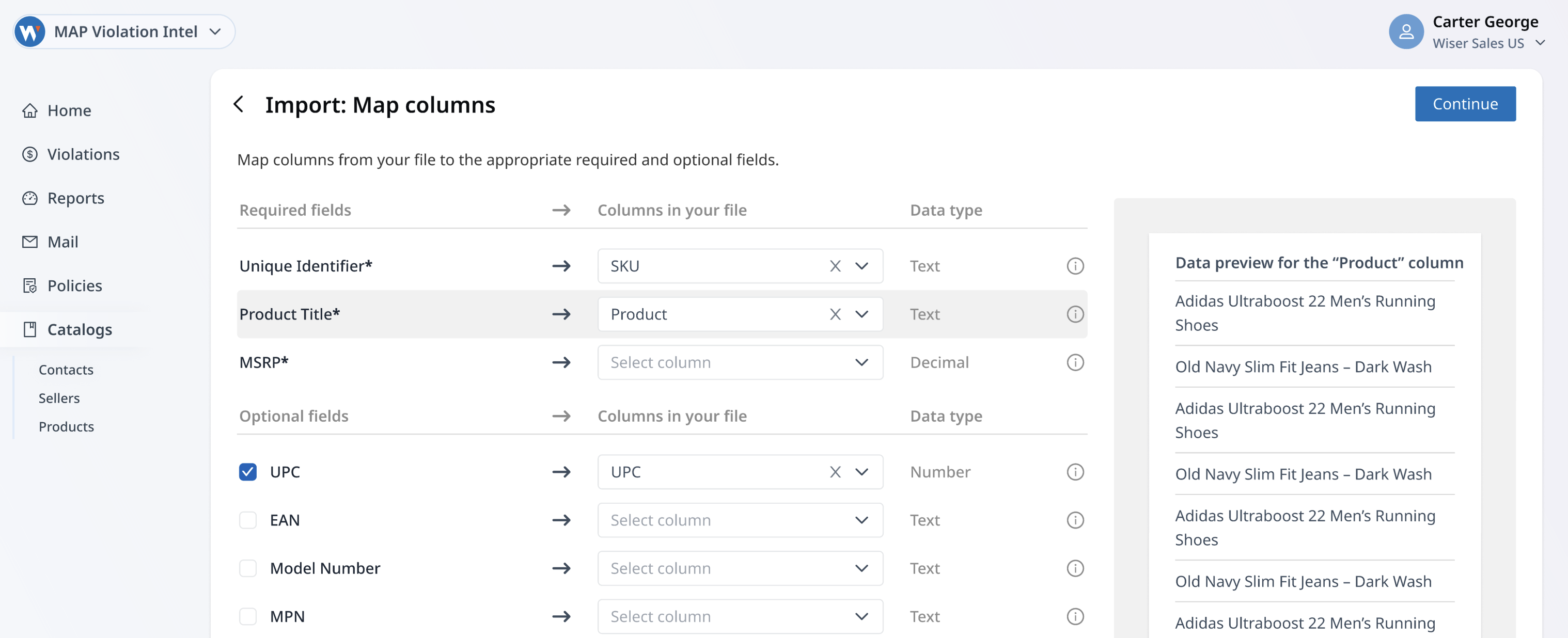
Upload & map fields
As the user uploads a CSV, the importer accepts raw data as-is, then guides them to map file columns to Wiser's expected application-specific data structure. Unlike rigid templates, users can also include extra fields in their dataset and map those seperately — more data is good, right? This flexibility not only reduced back-and-forth with Ops/CSMs but also captured more of their real-world data, opening doors for potential new product enhancements (think: new filters, reports, and insights in the future).
Review & fix
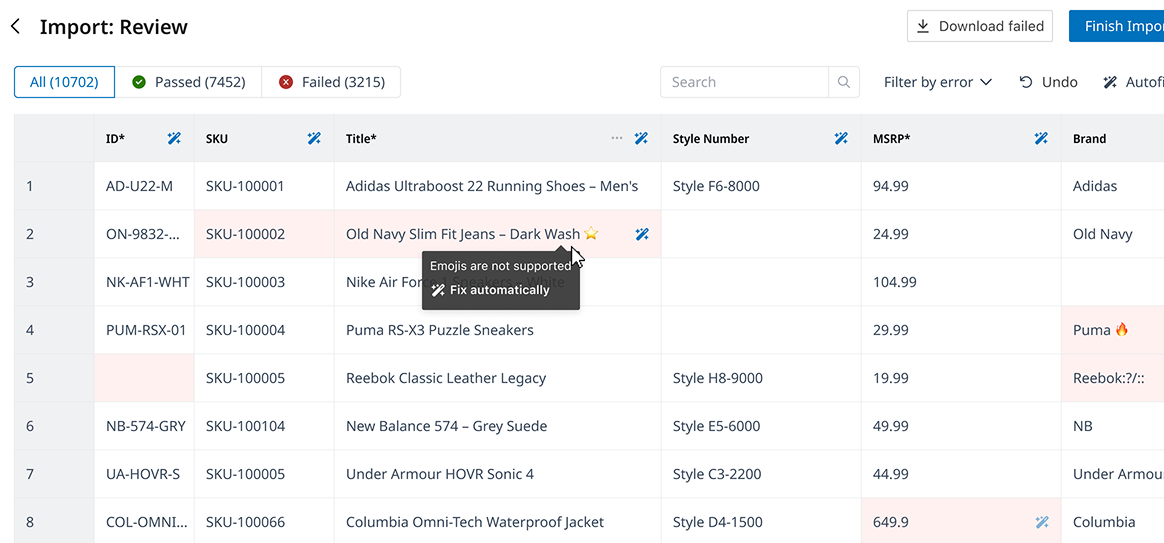
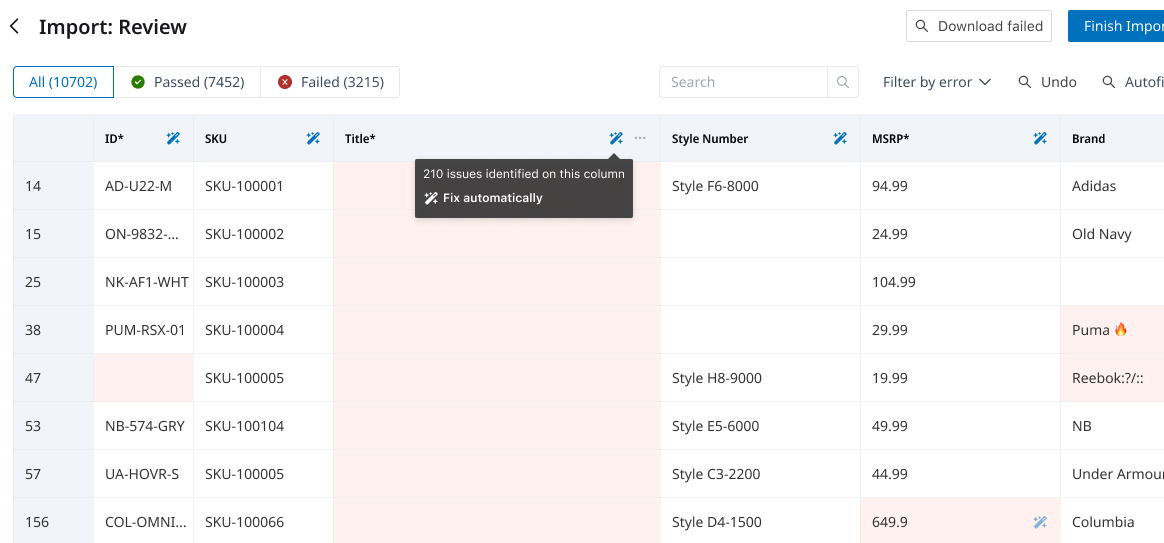
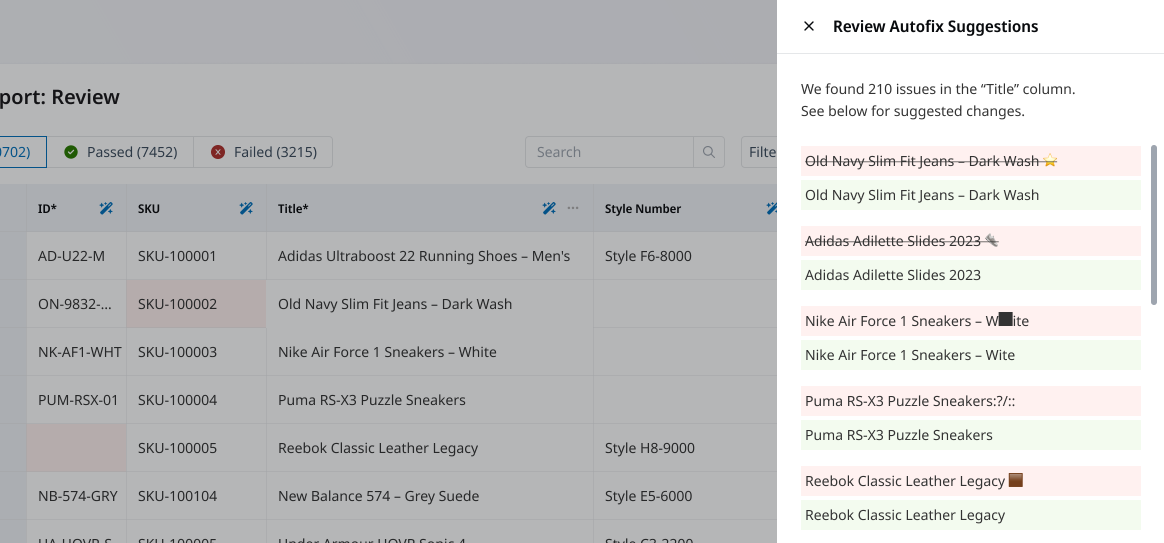
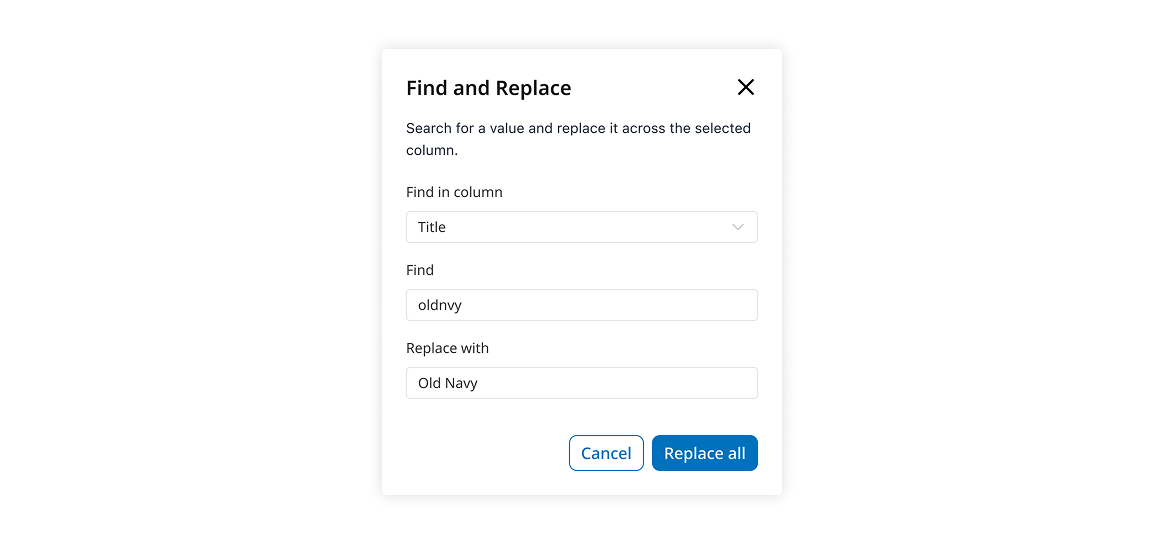
After mapping, the importer flagged issues in an inline-editable table view. Users can double-click to fix errors manually or lean on AI-powered suggestions to resolve common problems in bulk. This balance reduced frustration: power users stayed hands-on, while most could clear dozens of rows with a single click.
The AI detected typical formatting issues: mismatched currencies, broken dates, missing values and invalid characters like emojis, offering one-click corrections. Users could apply fixes across the dataset, target a single column, or update individual cells. This struck the right balance: automation carried the load on repetitive cleanup, while customers retained control over critical data. Early feedback showed this step shaving hours off prep-time, reassuring users that messy files wouldn't block progress.
Upload anyway
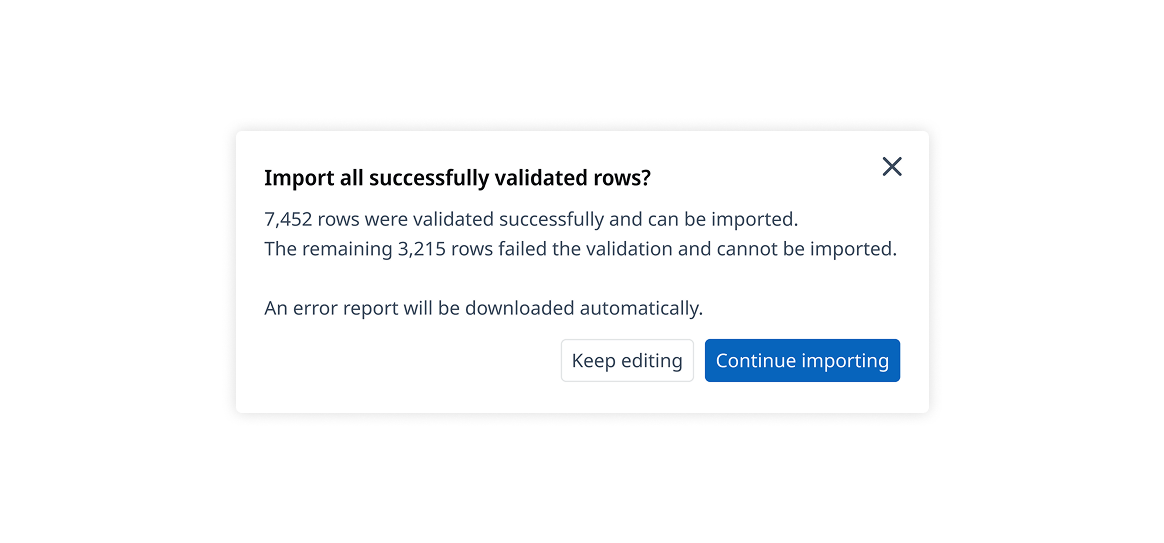
In the old model, a single bad row blocked the entire import. Here, customers could choose to ignore unresolved errors and move forward with valid data. This option was surprisingly important: it gave customers control over their timeline, instead of holding them hostage until every issue was perfect.
Track history
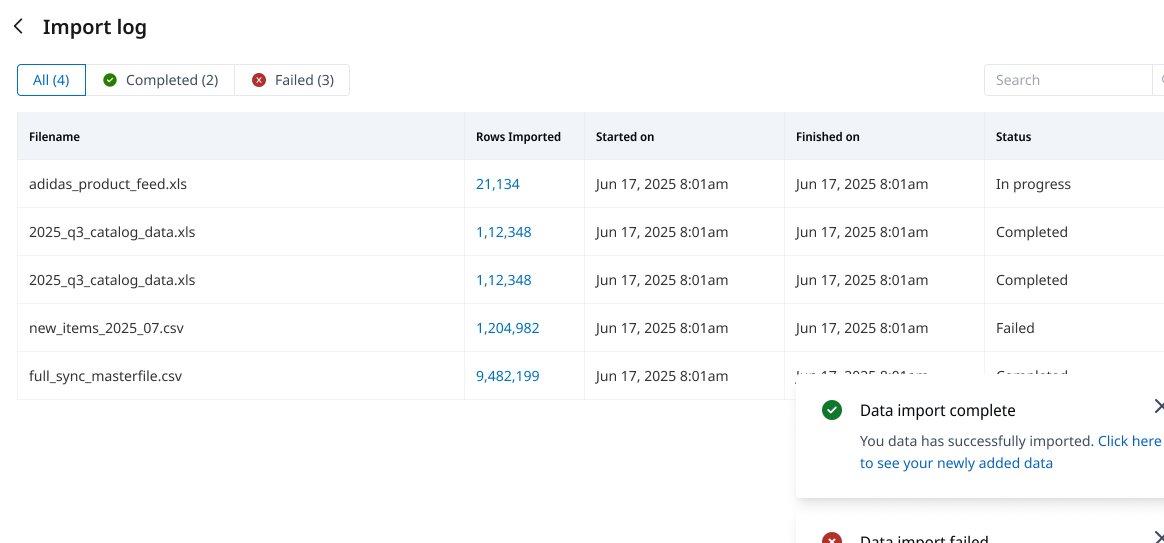
Every import was logged with a clear state — in progress, completed, or failed. Customers had visibility into what happened and when, while Ops/CSMs gained a simple way to confirm whether issues were real or resolved. Transparency cut down on “Did my file go through?” emails and restored confidence in the process.
Want to learn more?
Wiser is doing some amazing things in the online retail analytics space. Take a look at their website
Pssst! Case studies feel too formal? Check out Absurd Designs...
No process. All mischief.