Back to portfolio

Analysis & reporting for Data Scientist

  • Role: Lead UX
  • Skills demonstrated:
    • Information architecture
    • User experience design
    • User interface design
    • Interaction design

This is how I was able to work with Axtria, a global provider of ML driven analytics, to empower Data Scientists to perform exploratory data analysis and reporting.
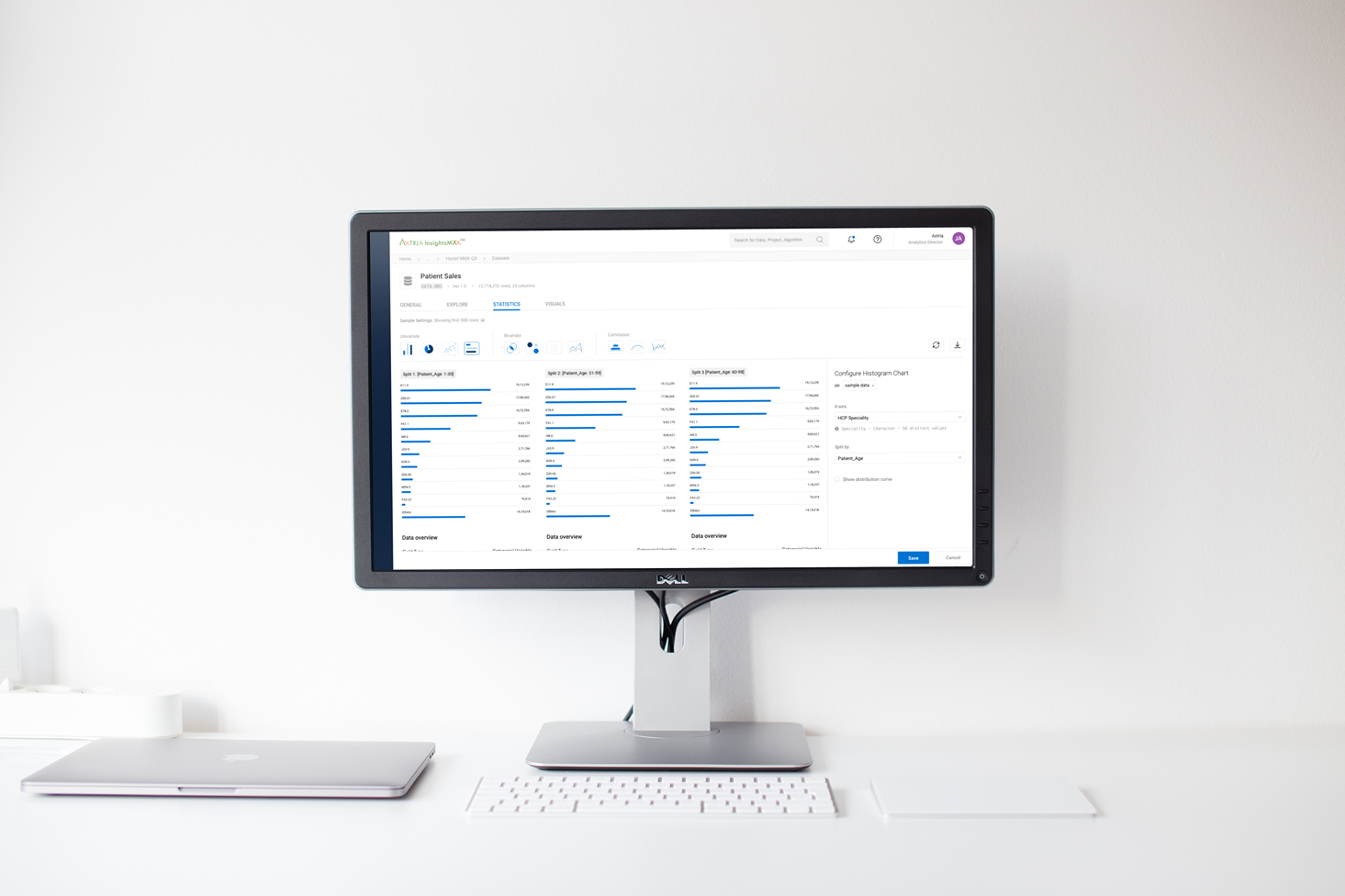
What is Exploratory Data Analysis?

Exploratory Data Analysis refers to the critical process of performing initial investigations on data so as to discover patterns, to spot anomalies, to test hypothesis and to check assumptions with the help of summary statistics and graphical representations.

Problem

Data Scientists often deal with exceptionally large datasets. When performing Exploratory Data Analysis, there is an immediate need to identify key aspects of the data using data- contextual interactions and easy-to-use filtering/sorting capabilities.


Solution
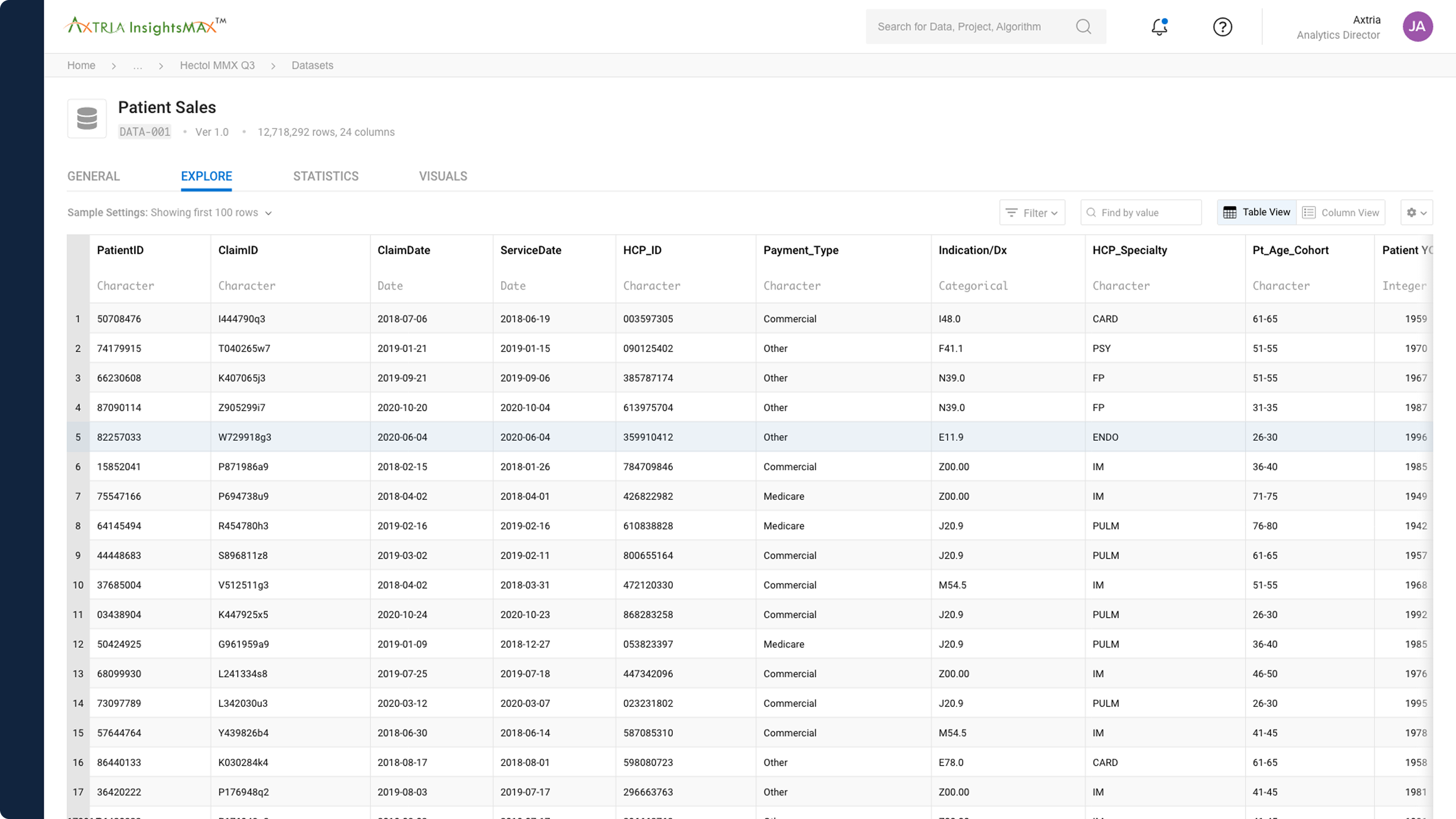
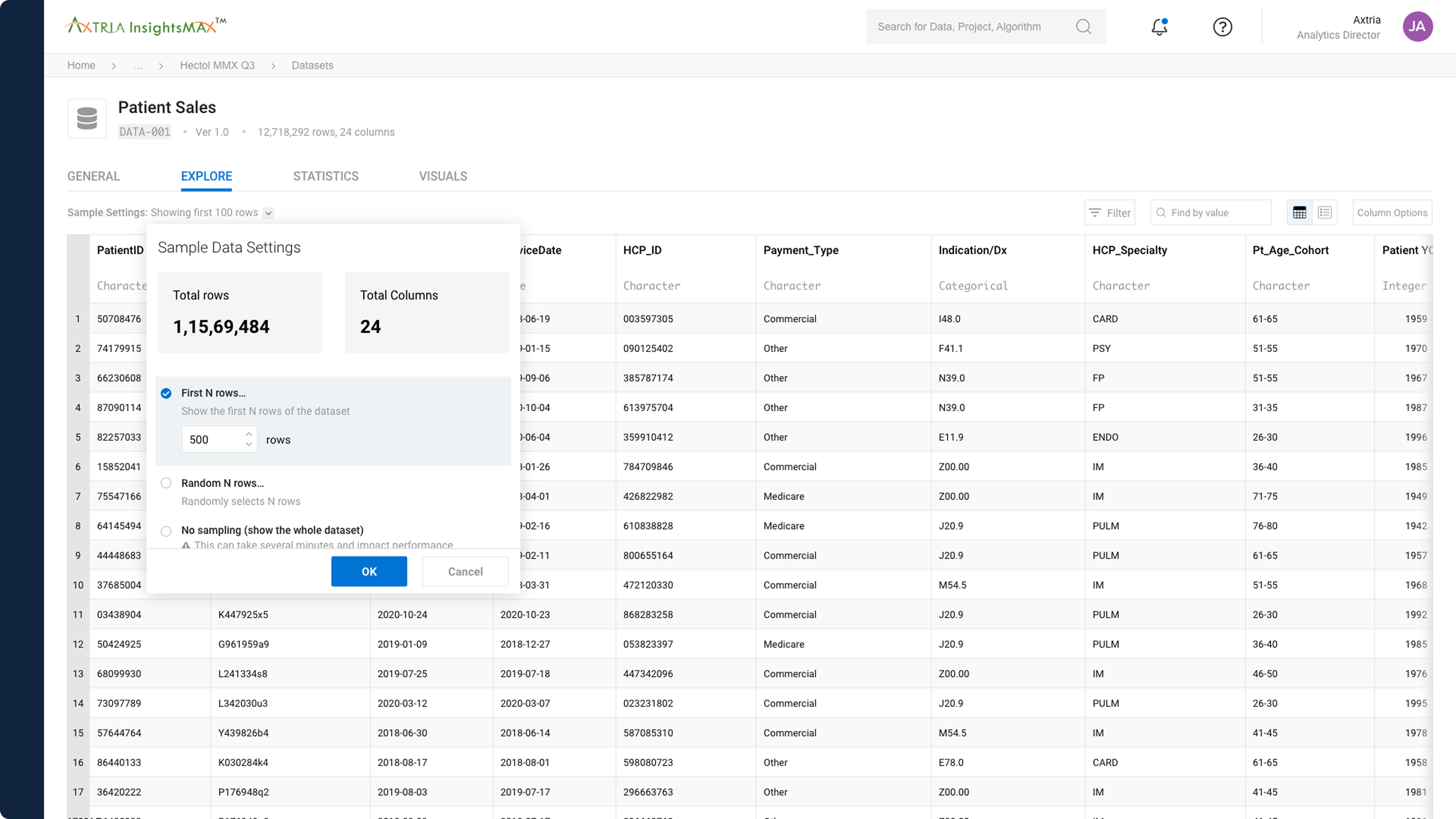
The baseline table experience
/ Above / The baseline table experience with numbered rows for easy identification of data, and detailed styles defined for columns, including data-types.

Ability for users to glance at the dataset from different points-of-view
/ Above / Ability for users to glance at the dataset from different points-of-view by looking at different segments (first N number of rows, random N number of rows, all rows, etc.)

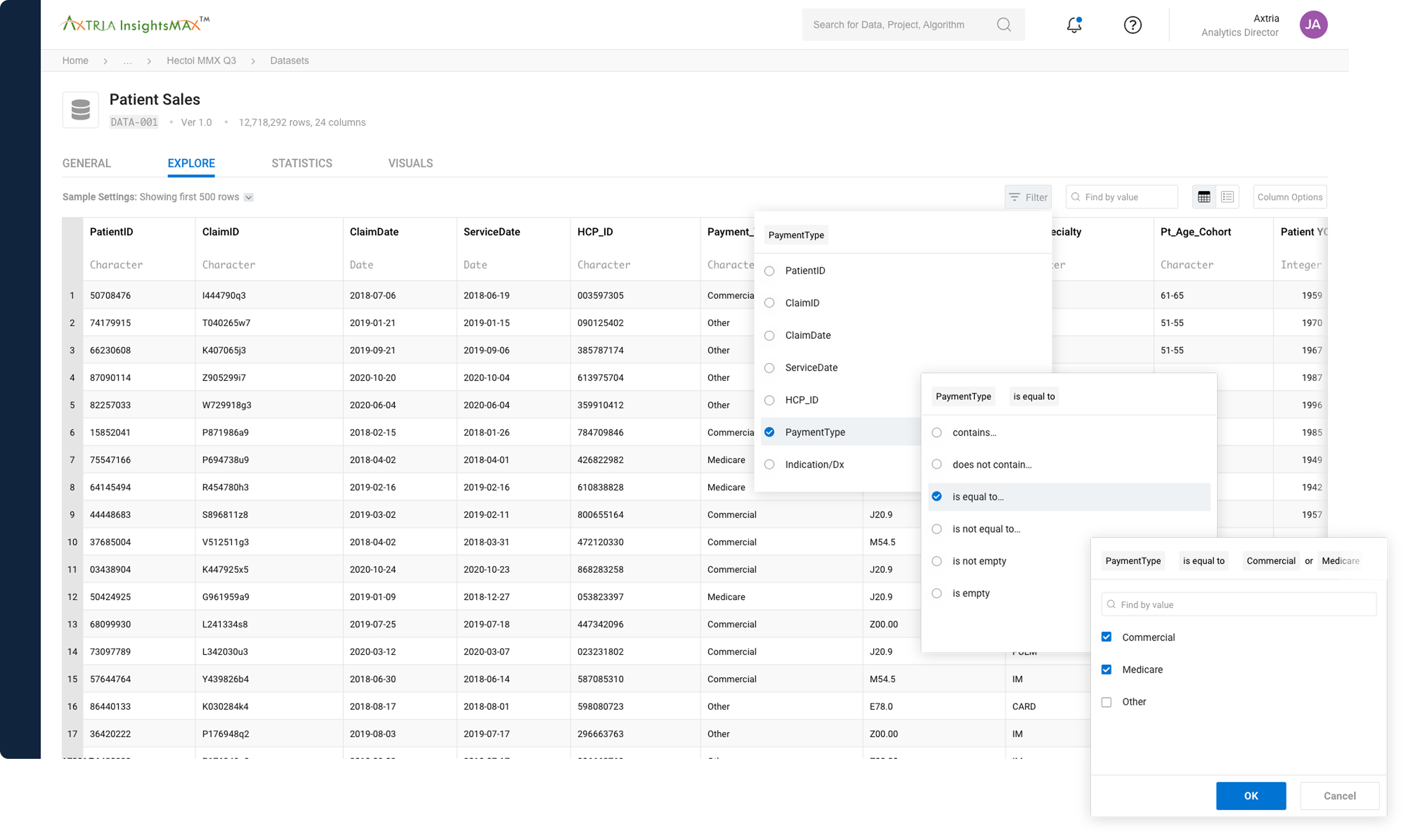
Filtering

Advance filtering allows Data Scientists to make decisions faster
/ Above / Advance (dynamic) filtering allows Data Scientists to make decisions faster.

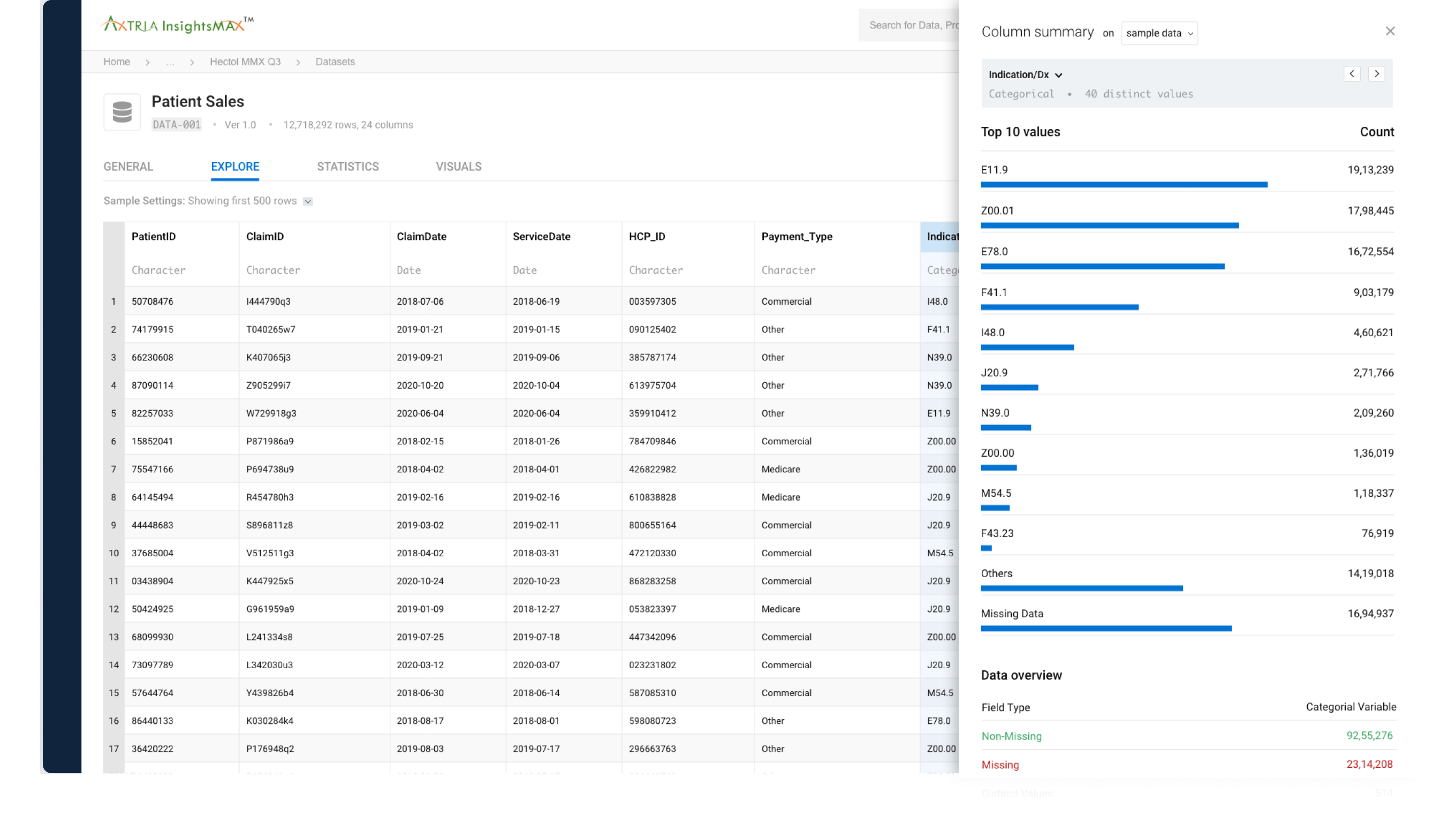
Column Summary

Interacting with a column shows you a summary view
/ Above / Interacting with a column shows you a summary view of all data for the selected columns.

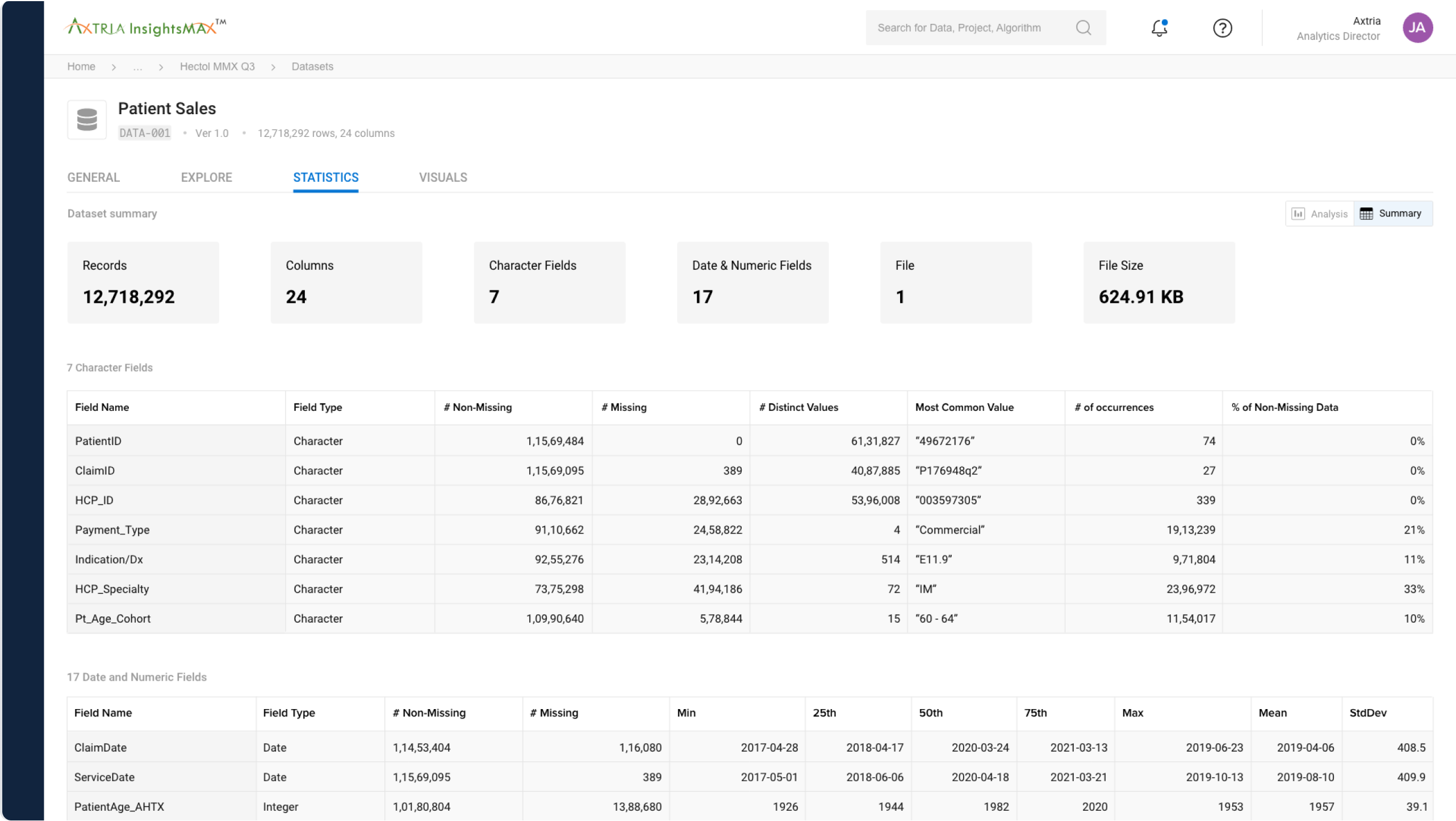
Dataset statistics

Easily switch to a high-level summary of the entire dataset
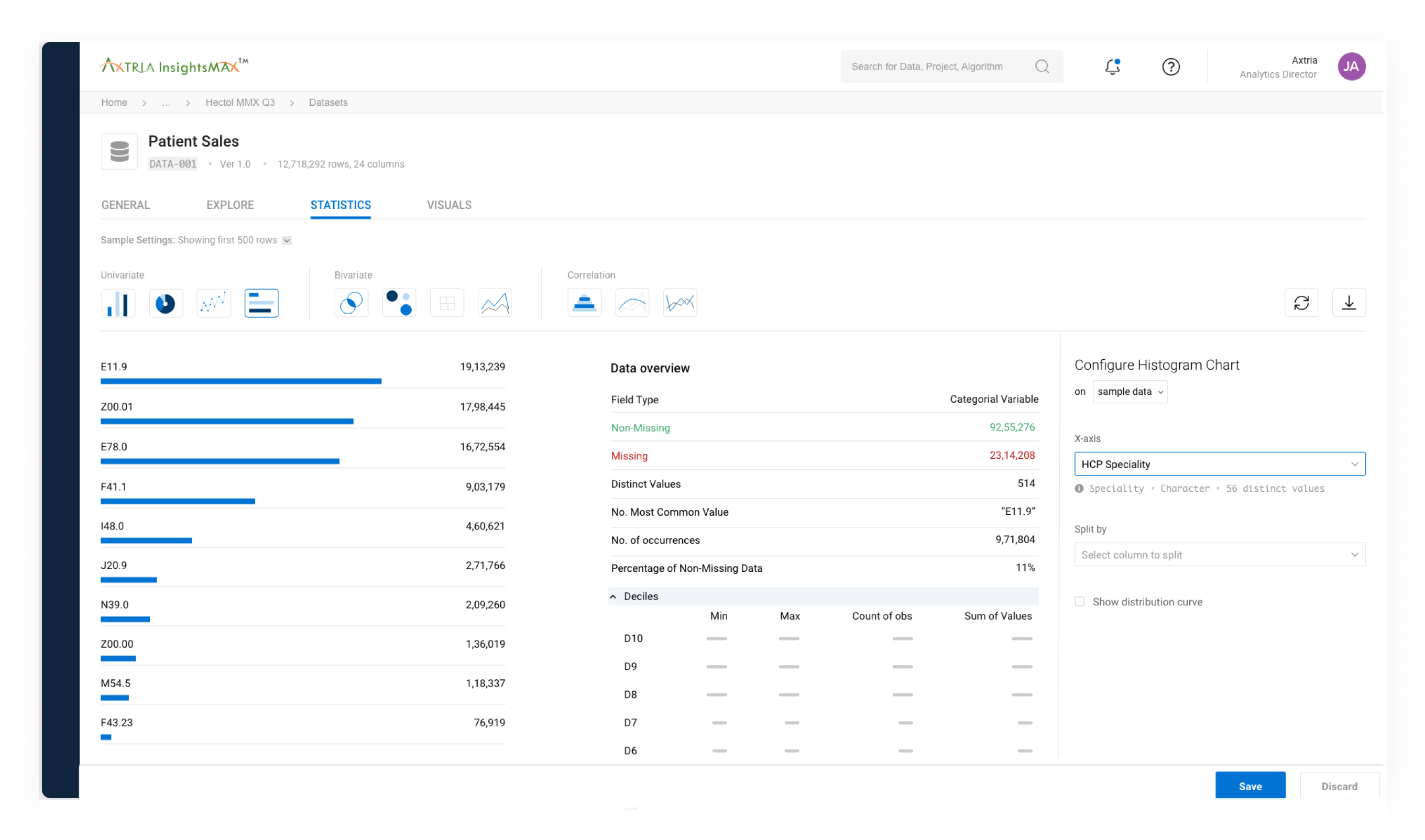
/ Above / Switching over to the Statistics tab allows you to see a high-level summary of the entire dataset.

Visualisations

Create advanced visualisations from the dataset
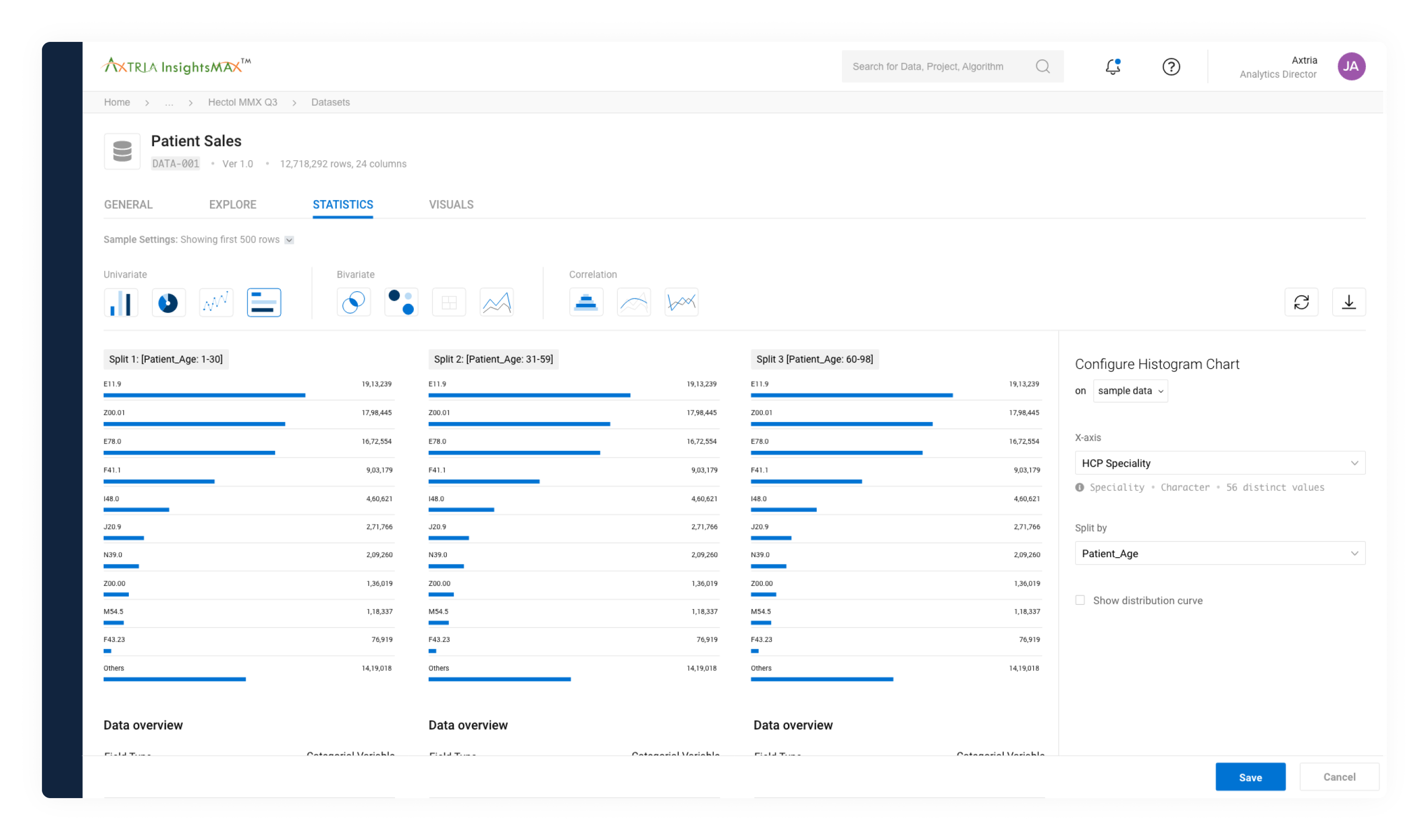
/ Above & Below / When creating a visualisation, you have the choice of selecting a visualisation type: univariate, bivariate, correlation.

Create advanced visualisations from the dataset

Things taking too long?

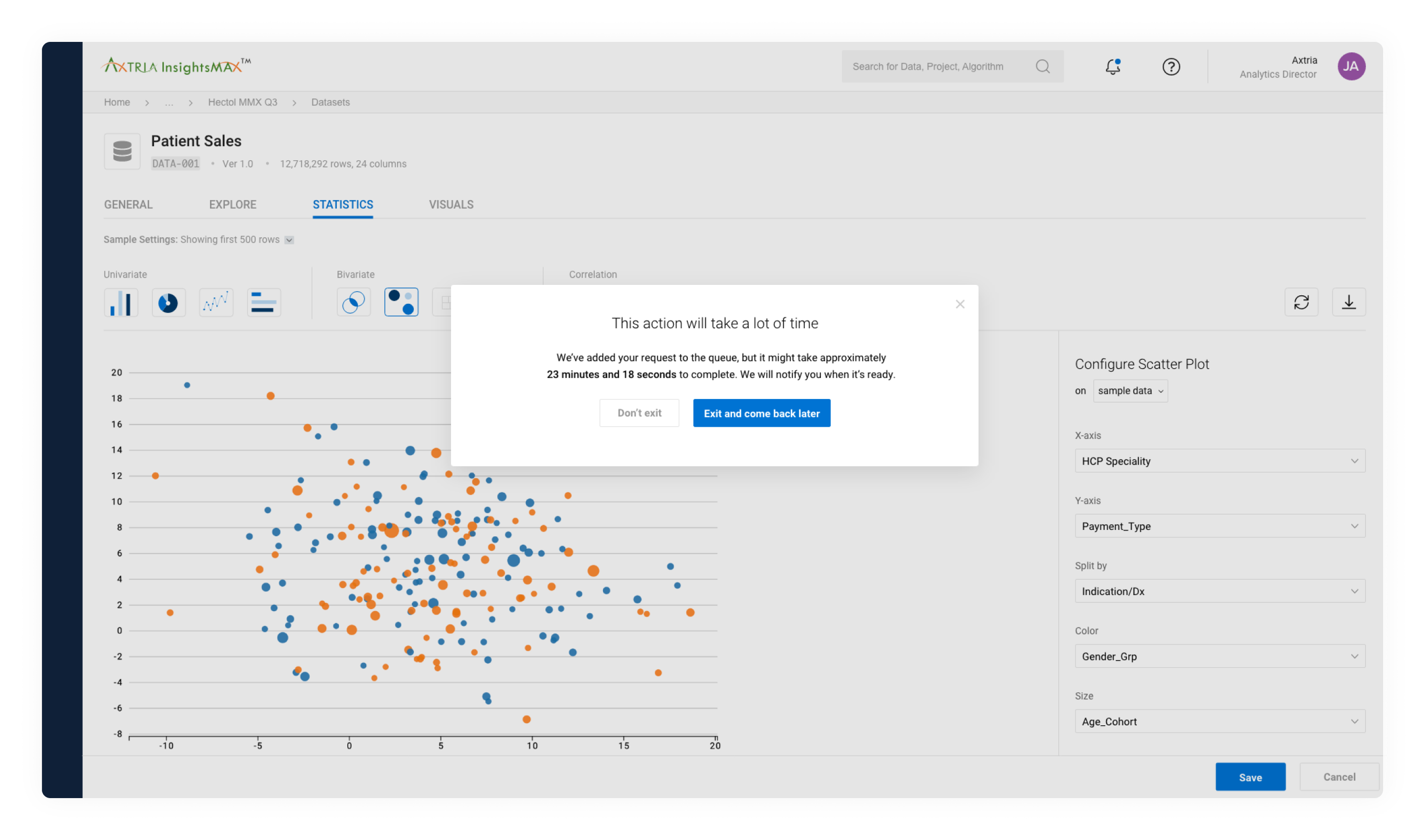
Queue longer requests for analysis
/ Above / If a request for analysis takes too long, it can be added to the queue and accessed again later.

Want to learn more?

Hate to break it to you, but I'm no longer with Axtria. However, they're leading the life-science revolution with game-changing solutions and you should check out their website to learn more.

Pssst! Case studies feel too formal? Check out Absurd Designs...
No process. All mischief.